✨ Kid-friendly routine support

Calmer mornings.
Easier bedtimes.
Happier kids.

Checklist Charlie gives children colorful, visual daily routines with read-aloud prompts, Focus Mode, sticker rewards, and badges — built for kids with ADHD, autism, anxiety, and everyone in between.

iOS 17+ 📱 iPhone & iPad 🔒 No accounts. No ads.
Checklist Charlie Today screen on iPhone
Checklist Charlie on iPad

Everything a family needs to build great routines

Every feature is designed to reduce friction, build independence, and keep kids engaged without screen-time guilt.

📋

Visual Task Cards

Color-coded cards with emoji, photos, and time labels make tasks instantly recognisable — no reading required.

🔊

Read-Aloud Prompts

Tap the speaker button to hear any task read aloud. Auto-read mode advances automatically after each tick.

🎯

Focus Mode

Shows one task at a time, full-screen, with sub-steps, a task photo, the scheduled time, and an "Up next" preview.

🪜

Sub-Steps

Break big tasks into smaller, tickable steps. Each tick earns haptic feedback and progress toward a badge.

⭐️

Sticker Chart

A 7-day sticker chart rewards full checklist completions. Kids can tap earned stickers to pick a custom emoji.

🏆

Badges & Streaks

11 collectible badges for milestones like first task, 3-day streaks, Focus Mode completions, and Calm Corner visits.

🫁

Calm Corner

Guided breathing — box breathing with gentle audio — available any time the child needs a moment to reset.

🔔

Daily Reminders

Set a reminder time per checklist so iOS notifies the child when it's time to start — without any nagging.

💬

Parent Notifications

Each task can optionally text a parent/guardian when completed. Great for keeping remote caregivers in the loop.

🎚️

Sensory Profile

Choose Minimal for calmer visuals or Normal for full color and motion. Easy to switch any time in Settings.

🔒

Parent PIN Lock

Lock settings and checklist editing behind a PIN stored securely in the device Keychain.

📤

Share & Import Lists

Export any checklist as a .charlie file and share it with another device via AirDrop, email, or Messages.
One task at a time — no overwhelm

When a full list feels like too much, Focus Mode shows a single task, big and clear, with everything the child needs to complete it.

  • Full-screen task card with emoji and photo hint
  • Sub-steps with individual tick boxes
  • Scheduled time shown in AM/PM format
  • "Up next" preview after each completion
  • Task counter so kids know where they stand
Today screen with focus-ready task cards

Simple, consistent visuals

Checklist Charlie now uses a stable light appearance and two sensory options to reduce decision fatigue while staying kid-friendly.

Light mode only
Minimal sensory profile
Normal sensory profile
Reduced visual clutter

Real simulator screenshots from iPhone and iPad

Updated April 2026 from current builds.

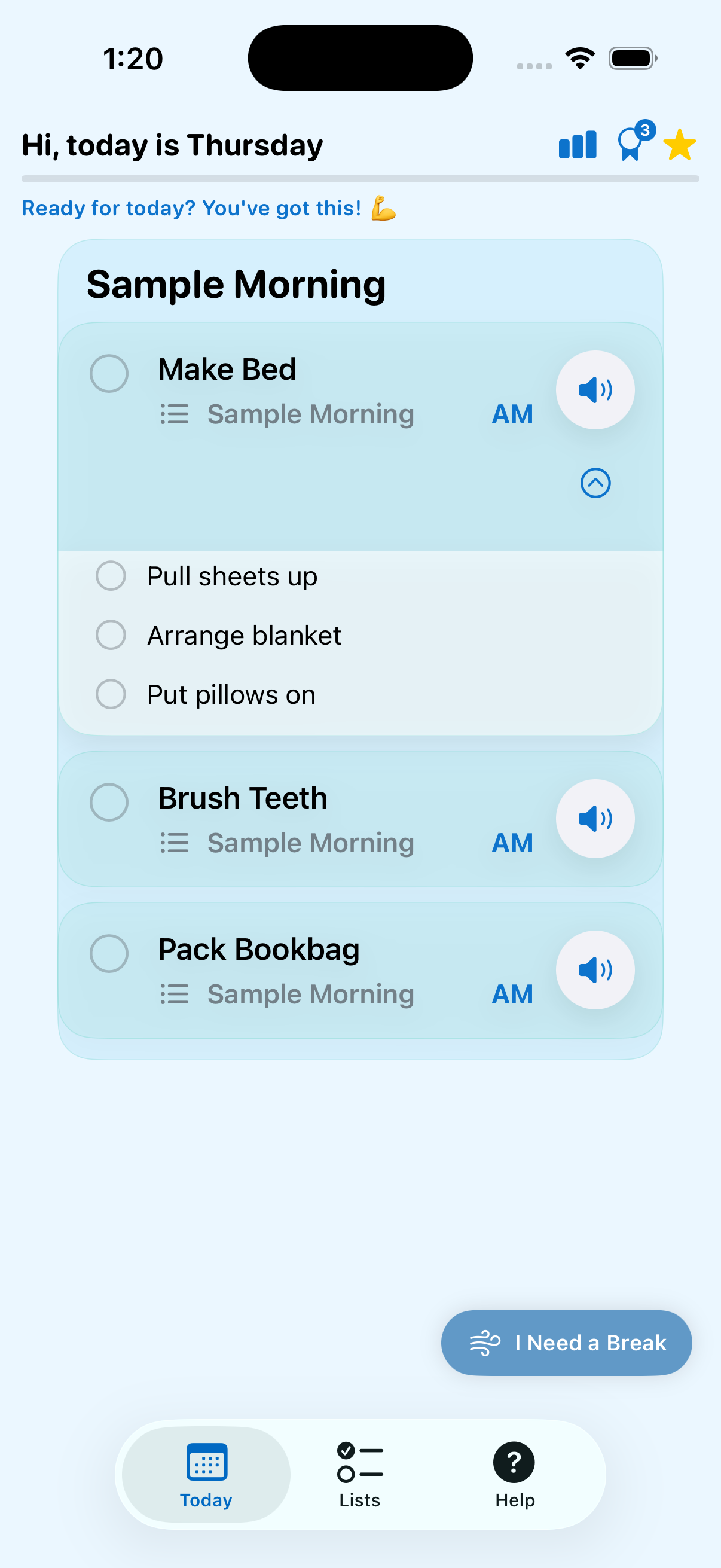
Today screen on iPhone

iPhone Today

Visual task cards, read-aloud buttons, and quick Calm Corner access.

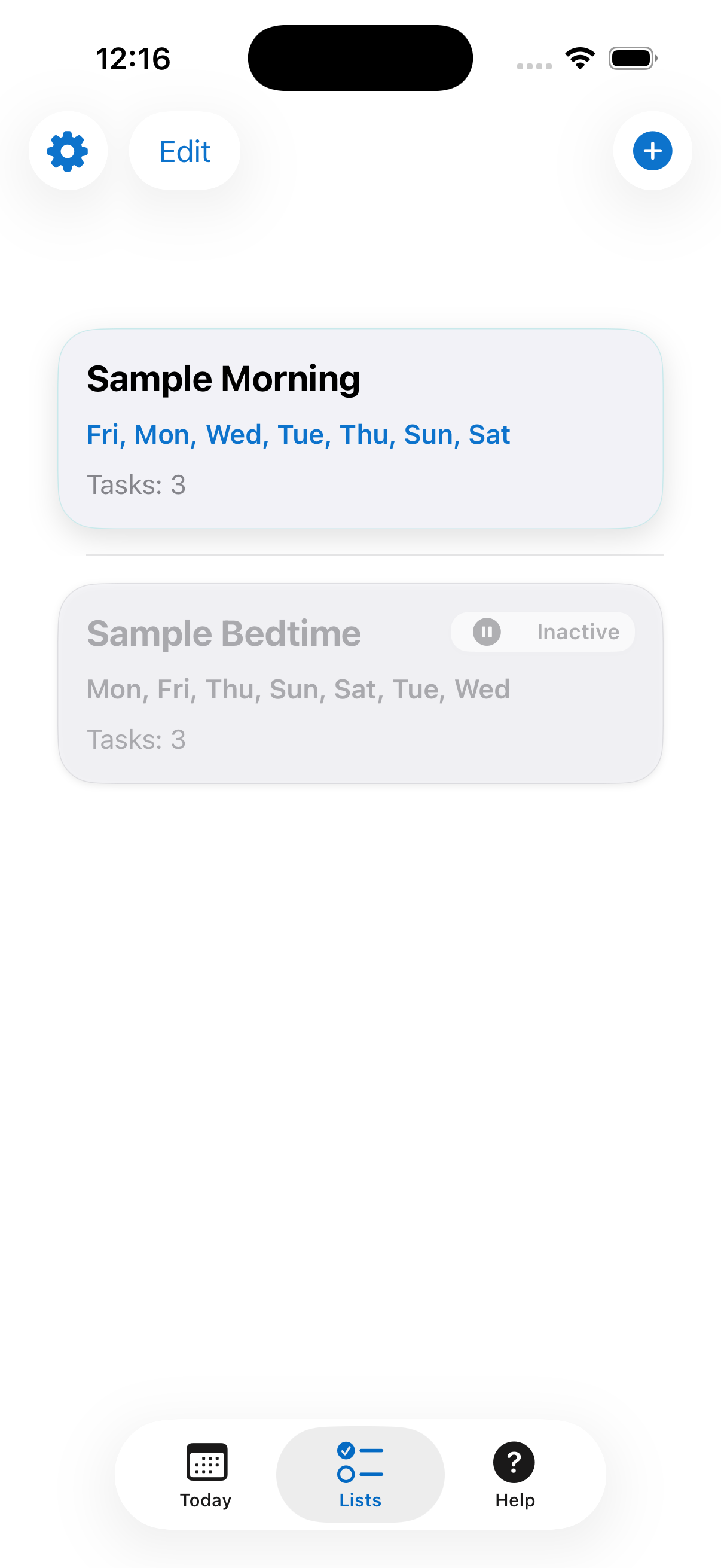
Lists screen on iPhone

iPhone Lists

Checklist management view with active/inactive list state.

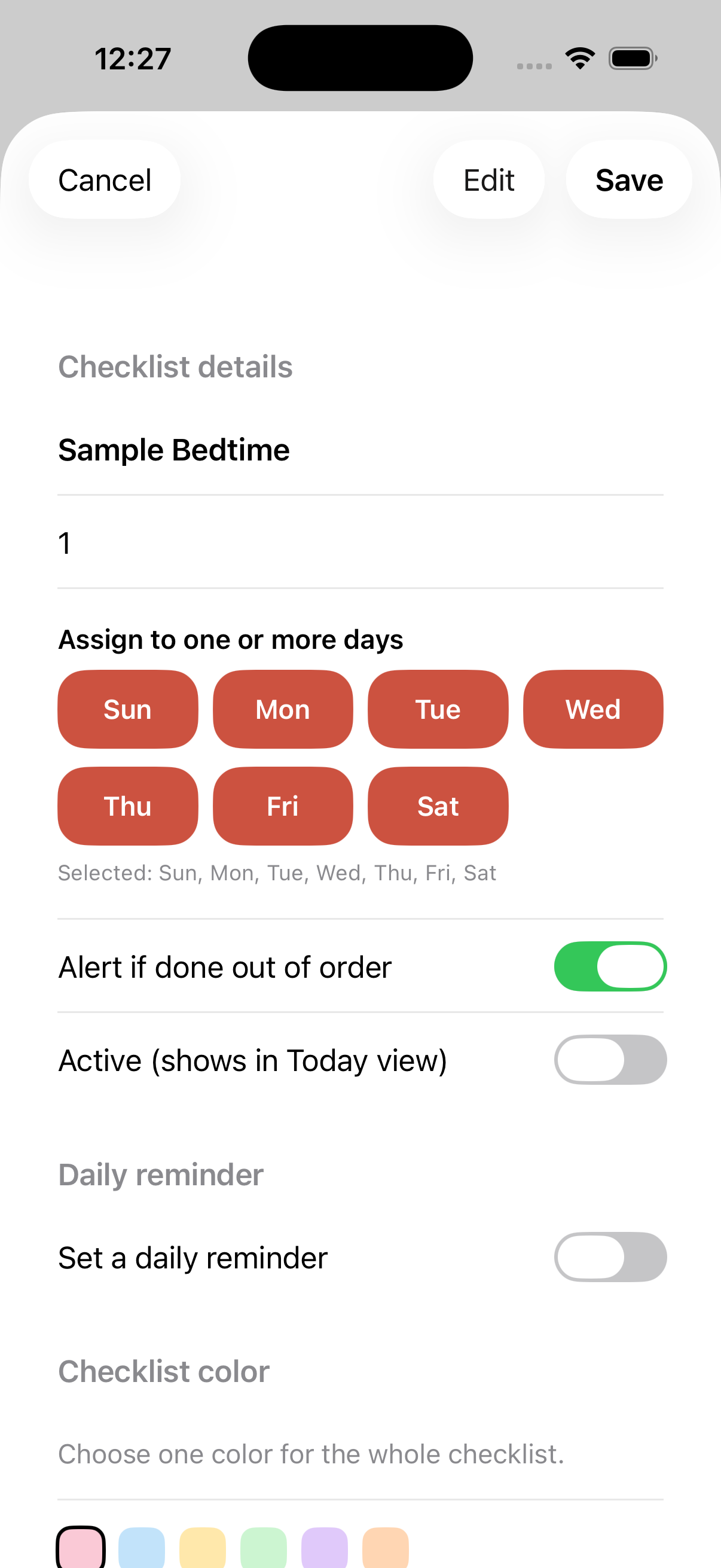
Checklist editor on iPhone

Checklist Editor

Day assignment, reminders, and parent controls in one screen.

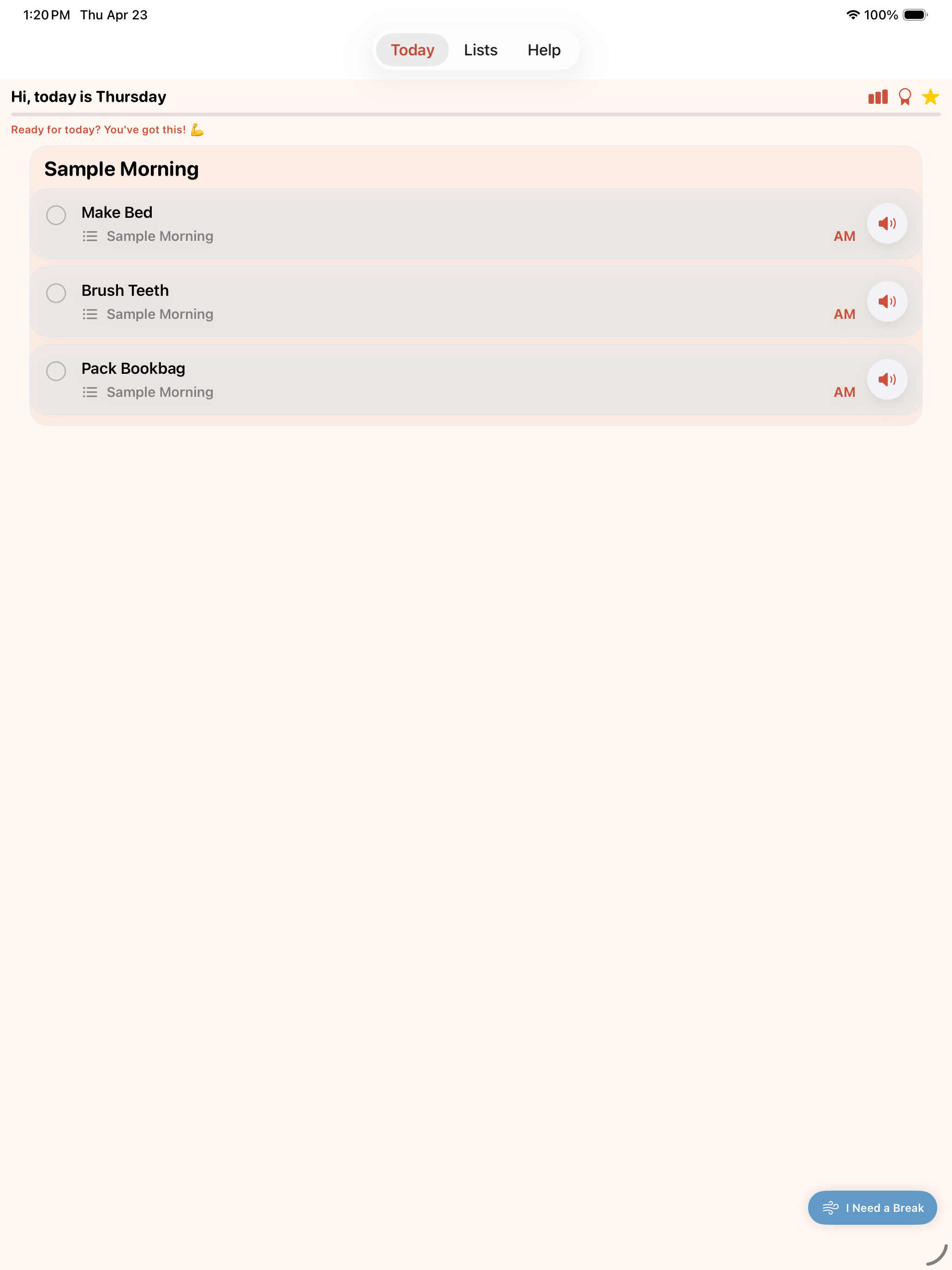
Today screen on iPad

iPad Layout

Large-screen iPad interface with the same Today, Lists, and Help workflow.

11 badges to collect

Badges reward real milestones — not just streaks. Kids earn them by doing things like visiting the Calm Corner or completing their first sub-step.

🌟First Task
🔥3-Day Streak
7-Day Streak
💎10-Day Streak
All Done Today
🫁Calm Corner
🪜First Sub-Step
Sub-Step Star
🎯Focus Champ
🧘Calm Five
🏅Sticker Collector

Praise that matches the effort

Parents rate each task's effort level in the editor. When the child completes it, they get a praise message that matches how hard it actually was.

  • ⚡ Quick Win — "You did it! Great job!"
  • 🧠 Brain Power — "Brain Power activated! That took real focus."
  • 💪 Super Challenge — "Super Challenge DONE! You're amazing!"

Effort levels are only visible in the parent editor — kids just see the praise.

Task editor and checklist settings

Built for kids. Private by design.

No accounts, no cloud sync, no advertising, no analytics. All data stays on your device. The parent PIN is stored in the device Keychain — never uploaded anywhere.

Read Privacy Policy

Ready to make routines easier?

Checklist Charlie is free to download on the App Store for iPhone and iPad.

Download on the App Store